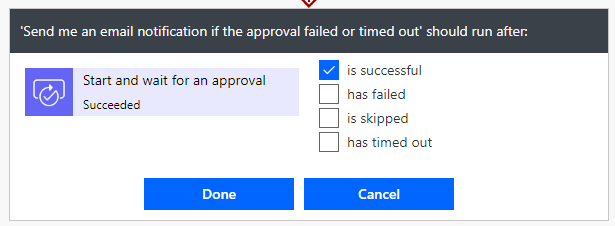
There are several moments in Power Automate where unexpected things could happen, like an approval has timed out or send an action has failed. To react on this kind of errors, you could use the “run after” functionality from Power Automate to maybe send an email to the owner of the flow. “Run after” is a functionality to define what will happen if an action “is successful”, “has failed”, “is skipped” and/or “has timed out”. You configure the “run after” always on the action after the action which could get in one of the four states.
WeiterlesenAutor: Marvin Bangert (Seite 4 von 4)
!!! Unfortunately this does not work anymore since a Microsoft Update!!!
Hey folks,
today i will show you how you could hide the buttons for Flow (Power Automate) and Power Apps in your SharePoint site. We will need the SharePoint Online PnP PowerShell (check out this GitHub site for more information: https://github.com/SharePoint/PnP-PowerShell). To install the module you can use:
Install-Module SharePointPnPPowerShellOnlineHey folks,
in this post i want to show you how you could create an always up to date timestamp within PowerApps. Just follow the next few steps:

If you want to convert your classic SharePoint sites into modern SharePoint sites, there were released a new commandlets to PnP PowerShell which allows you to achieve this.
WeiterlesenRecently I worked on a project using Azure Automation Runbooks and PnP-PowerShell (for SharePoint Online) to automate some changes on a SharePoint site. When I used any commandlet that creates, adds or changes something – like “Add-PnP…”, “New-PnP…”, “Update-PnP…”, “Set-PnP…” – the runbook enters a loop for three times without any error message and then the runbooks failed.
Weiterlesen