For the smarthome related project this holiday I was inspired by Chris Mahers YouTube Series „Will it WLED„. So I bought an APPECK permanent outdoor LED wich I want to control with WLED.

To control LEDs with WLED it is kind of obvious that you need supported LEDs. Because usually there is no information about the used LEDs, there is a bit of gambling but based on Chris videos I was confident that the Appeck LED strip will work.
| Technical Specs of the LED-Strip: | |
| Model | C5109-C |
| Length | 30m |
| Segments | 6 / 5m |
| LEDs per segment | 12 |
| Over all LED count: | 72 |
| Power Input | AC 100-240V |
| Power Output | DC 24V |
| Wattage (max) | 54W |
| Color | RGBW |
| Brightness | RGB: 1900LM W:2800LM |
| Color Temp. | W: 2700K |
| Conrtrol Methods | 2,4GHz WiFi / App / Remote / Voice |
| Operating Temperature | – 20 °C – + 40 °C |

The LEDs have a diameter of 25mm and are connected by 3 wires.
The distance between the LEDs is 400mm, where the Segments are connected the distance is 600mm.
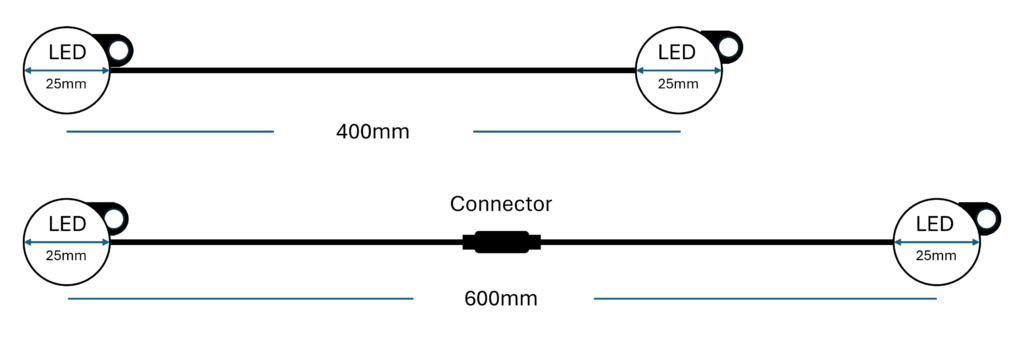
The connection between the LEDs are three wires, in a black outddor hull with white, red and black isolated wires inside. To controll the strip with WLED I descided to give a GLEDOPTO Controller a try:
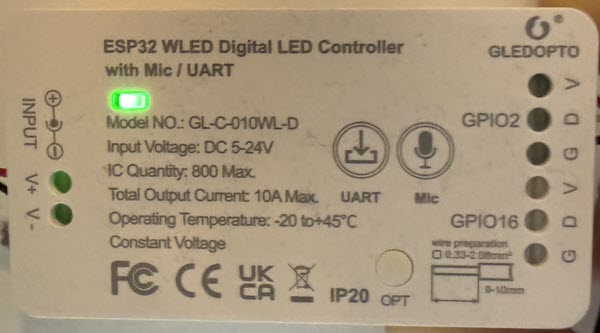
The controller comes flashed with an older version of WLED so I updated it directly to version 15.3.
The controller works between 5V -24V DC hand provides terminals for two LED light strips via GPIO2 and GPIO16.
The color coding of the LED wires is: Red: V+ White: DATA (GPIO2) Black: GND
On the WLED side the following settings are required:
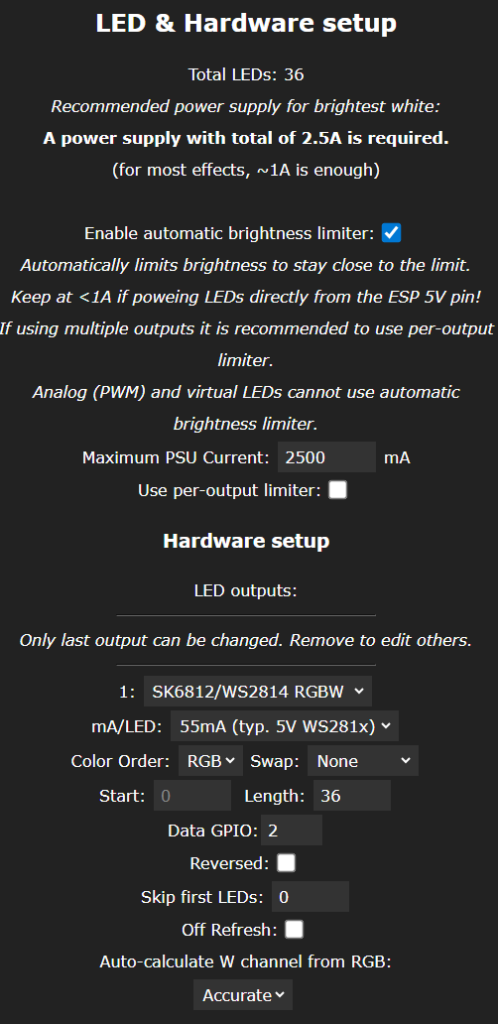
Setting modified from default:
1: Strip Typ: SK6812 / WS2814 RGBW
Color Order: RGB
Length: 36 (specific to my use case)
Data GPIO: 2
Auto-calculate W channel from RGB: Accurate
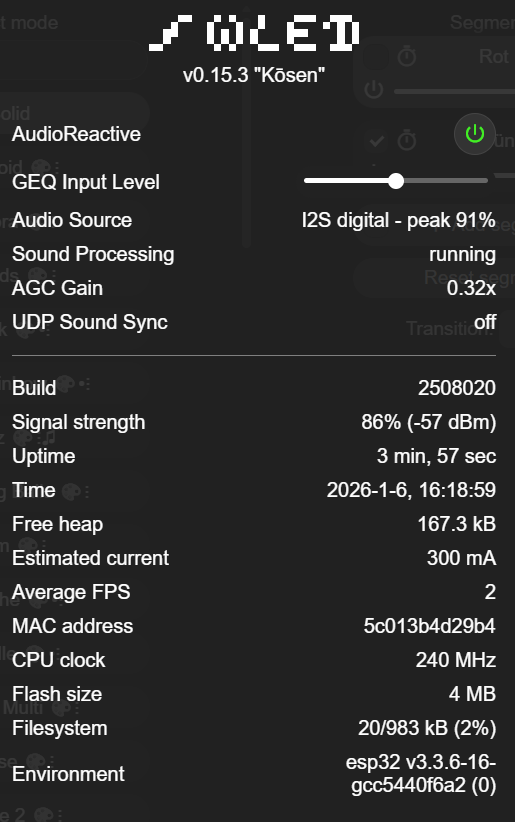
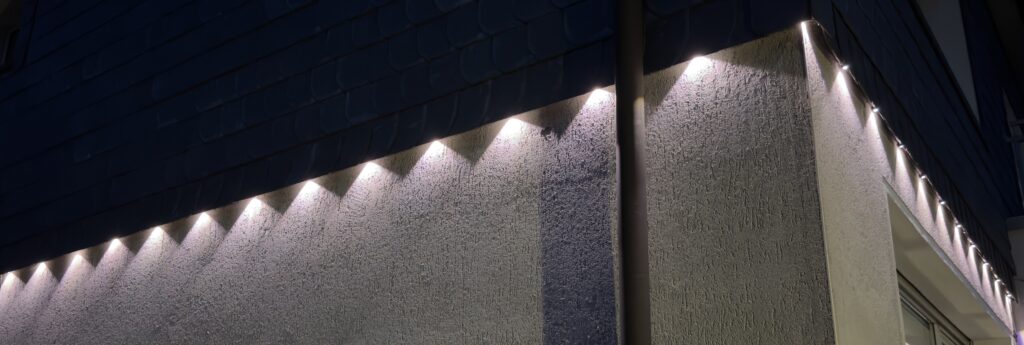
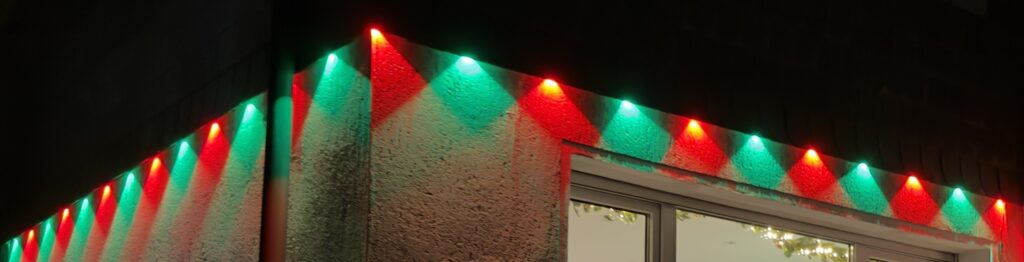
In my case the result is looks like this:
Schreibe einen Kommentar